Back
ChatGPT Setup
1
Credentials1/61
Get Your JDoodle Credentials
Sign up at JDoodle and grab your Client ID & Secret
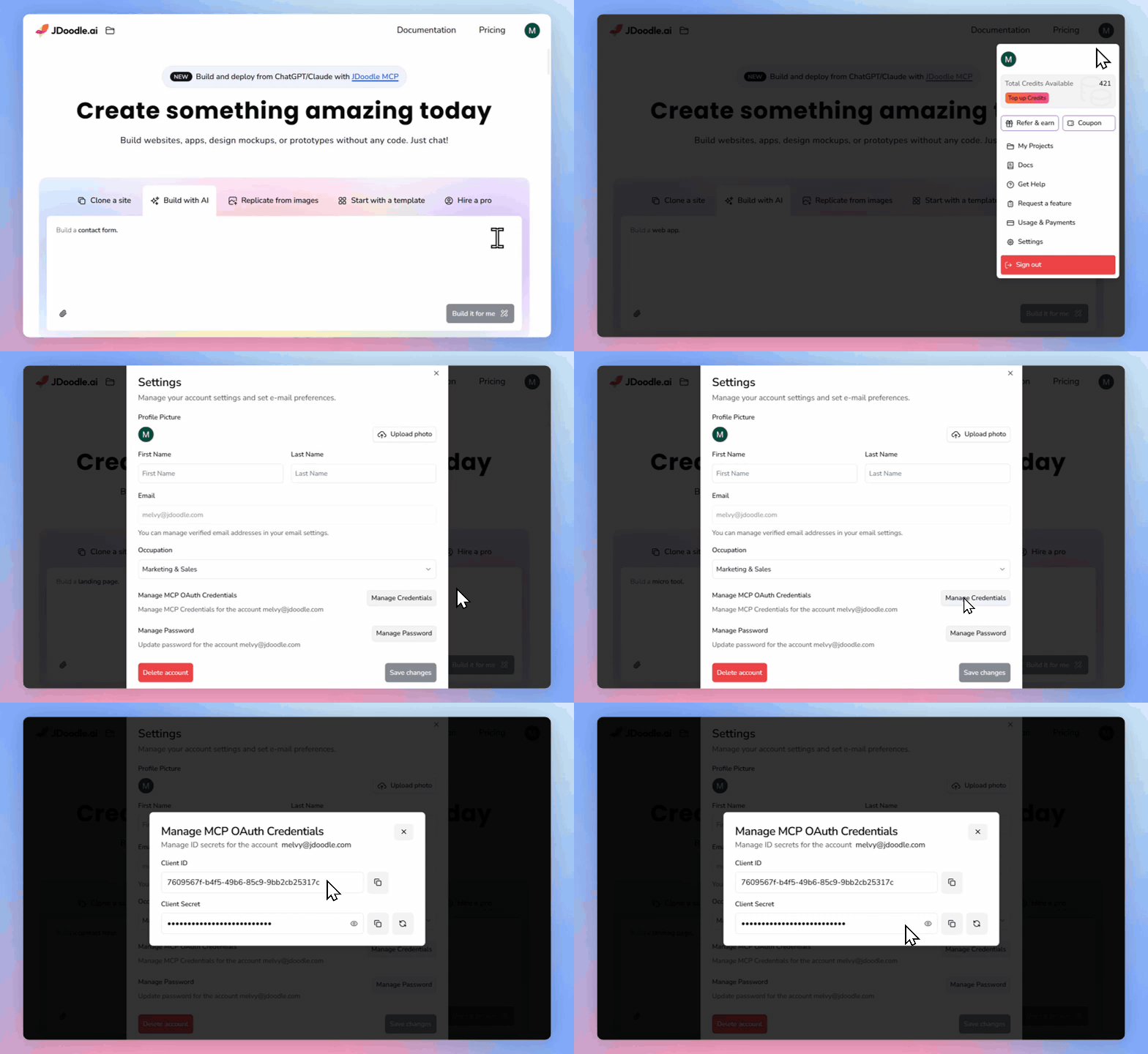
- 1Sign in at jdoodle.ai (create a free account if you don't have one)
- 2Click your profile icon, then go to Settings → Manage Credentials
- 3Copy your Client ID and Client Secret
- 4Paste them below and click Validate to confirm they work
Troubleshooting
After signing in at jdoodle.ai, click your profile icon (top-right), then Settings. The Manage Credentials option shows your Client ID and Client Secret.
New accounts are activated instantly. Try refreshing the settings page and copying the credentials again. Make sure there are no extra spaces.
Validate your credentials to continue